
Features
From the first message to a completed sale, the daily work happens in one back office.
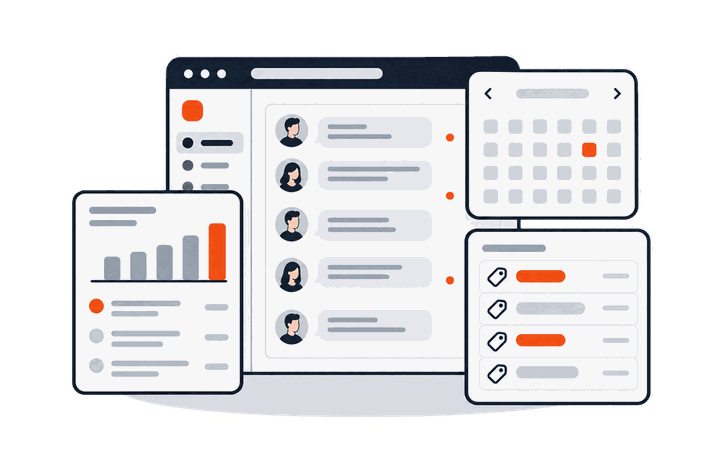
Inbox
Every channel in one place, shared by your team.
Four channels, one inbox
WhatsApp, Messenger, Instagram messages and website chat together, filtered by channel and status.
Assign conversations
Assign chats to a person or a team, and choose whether others can see or reply to them.
Notes and saved replies
Leave notes only your team can see, and insert saved replies with one click.
Follow-up reminders
Set a follow-up date on a chat; the person responsible gets a phone alert when it is due.
Photos, files and voice
Send and receive photos, files and stickers. Voice messages can be turned into text with one click.
Customer details
Tags, stage, notes, bookings and payments shown beside each conversation.
AI replies
Only approved answers. Everything else goes to your team.
Answers drafted from your website
Winko reads your website and drafts questions and answers. The AI uses each one only after you approve it.
Sent word for word
The AI only picks which answer matches; the reply is that answer as written, so prices and terms are never reworded.
Hand-over to people
Questions outside the list go to your team. After a colleague replies, the AI pauses for that customer.
Temporary notices
For typhoons or unplanned closures, set a notice; customers asking about opening hours get the latest arrangement first.
Button menu
Customers can tap a menu to choose a topic instead of typing.
Tone
Choose formal, professional, friendly or brief. Tone only affects greetings and hand-over lines.
Broadcasts
Reach the right customers and see what it brought in.
WhatsApp broadcasts
Include or exclude tags; nobody gets the same message twice. Review the full recipient list before sending.
Consent and opt-outs
Only customers who opted in receive promotions. An opt-out stops promotions from all your numbers at once.
Promotion answers
Attach product details, price, dates and terms to each promotion; the AI answers follow-up questions from it.
Coupon codes
One code per customer. Staff can record the spend at redemption to measure what a promotion brought in.
A/B tests and follow-ups
Test two versions on part of the audience and send the better one to the rest; follow up once with customers who read but did not reply.
Template help
Templates are checked before sending, with suggested edits to reduce rejections by Meta.
Comment auto-replies
Facebook and Instagram comments answered by private message.
Posts, Reels and lives
Works on Facebook Page posts, and Instagram posts, Reels and live videos.
Keywords and selected posts
Reply to any comment, to comments containing your keywords, or to exact matches, on all or selected posts.
Public replies
After the private reply succeeds, reply publicly under the comment, rotating up to three versions.
Daily limit and alerts
A daily limit on private replies, with an instant alert to your team when it is reached, so a viral post is not missed.
Bookings, forms and payments
Book, collect details and follow up on payment within the chat.
Bookings
Set services, bookable times and places per slot. Customers book, reschedule and cancel, and receive confirmations.
Google Calendar
Bookings sync both ways with Google Calendar.
Forms
Send a form or form link in chat; answers appear in the conversation and your form records.
Payment tracking
Send your own FPS details, or connect your Stripe account for payment links. Money goes straight to you; Winko never handles it.
Product catalogue
Upload products or sync from SHOPLINE, and send product details and photos in chat.
Satisfaction ratings
Ask customers to rate the service when a conversation ends.
Contacts and reports
Know where customers come from and what promotions bring in.
Contacts
Tags, stages, notes and custom fields. Import Excel or CSV lists and map them to your column names.
Consent records
When and how each customer opted in or out of promotions.
Ad source
See which Facebook or Instagram ad started a conversation.
Reports
Conversations, chats handled by AI, and delivery, reads, clicks and coupon use for each promotion.
Team and security
Permissions that match how your company works.
Custom roles
Create roles and tick the functions each can use. Group people into teams, such as customer service and sales.
Activity log
Important actions are logged with who did them and when.
Two-step verification
Sign in with an authenticator app or an email code; owners can require it for the whole shop.
Data retention
Keep conversation content for 6 months to 3 years before it is deleted automatically.
Integrations
Connect SHOPLINE, Google Calendar and Zapier to share data with the systems you already use.
Notifications
Turn on alerts in a phone or desktop browser for new messages and due reminders.
Questions
How are WhatsApp message fees charged?
Meta charges by message category and recipient country, billed directly to the payment method on your WhatsApp Business account. Winko's fee is separate and does not include or mark up message fees.
Do I need to build chat flows?
No. Set-up is step by step, with no flow diagrams to draw. Your main job is checking that the AI's answers are correct.
Could the AI give a wrong answer?
The AI only decides which approved answer matches the question, and sends that answer as written. If no answer matches, the question goes to your team.
Can I keep my current WhatsApp number?
If your number is on another WhatsApp platform, it can move to Winko through Meta's number migration process, keeping its display name, quality rating and messaging limit. Your Meta business account must be verified first. We confirm the details with you during the demo.
How much does it cost?
We quote based on the features and volume you need. Book a demo and we will contact you within two business days.
Where is the data stored?
The database is in Google Cloud's Hong Kong region. Some processing, such as AI language processing and message delivery, may use servers outside Hong Kong. See the privacy policy.

Want to see if it fits your shop?
Leave your details and we will contact you within two business days to arrange an online demo.